You’re not running a software company. You just want to get paid.
Most trades and home‑service businesses are held together with texts, spreadsheets, and a card reader. Quotes live in email. Invoices live in accounting software. Card charges live in a processor. Job notes live in your crew’s heads.
The result: you’re always asking the same questions:
- Did we take a deposit on that job?
- Who still owes us money?
- What’s stuck in change orders and unbilled work?
Meanwhile, the tools that promise to “run your business” feel built for call centers and enterprise ops teams, not a 2–20 person crew that actually works in the field.
One system that runs with your crews, not against them.
US Payments is a payment‑native job system for trades. It starts with how contractors actually work and bakes payments into every step of the job.
Job‑centric, not transaction‑centric
Every card swipe, ACH, or payment link is tied to a specific job, customer, and scope of work.
Built for deposits and progress payments
Take money upfront, get paid as work moves forward, and close out jobs without hunting through old emails.
Structured change orders
Capture photos, pricing, and signatures in one place so extras are approved and paid, not forgotten and fought over.
Cash‑flow cockpit
See what’s booked, what’s in progress, and how much cash is trapped in the field at a glance.
From first call to final payment—without losing the plot.
-
1. Lead & Estimate
Log the lead in seconds. Build an estimate from trade‑specific templates. Send it by text or email with click‑to‑approve and an optional deposit link.
-
2. Job & Payment Plan
Turn the approved estimate into a job with a clear payment schedule: deposit, progress, final. Set which payment methods you’ll accept. US Payments creates the payment steps and attaches them to the job timeline.
-
3. Schedule & Dispatch
Drop the job on the calendar and assign the crew. Crews see what they’re walking into: address, scope, notes. The system flags jobs that are scheduled but missing a deposit.
-
4. On‑Site Work & Change Orders
Techs log arrival/departure, notes, and photos. When the customer wants more, trigger a change order with photos, scope, and price, then capture a signature on the device or from a link.
-
5. Collect Payments
Take card payments in the field (tap‑to‑pay, QR code, or handheld) or send payment links from the office. Automatic reminders chase anything that falls behind.
-
6. Closeout & Paper Trail
Capture final photos and sign‑off, collect the last payment, and lock in a full record of scope, approvals, payments, and notes.
We’re not another generic “all‑in‑one” app.
US Payments vs. Stripe/Square
Stripe and Square are great at processing card charges. US Payments is built to run revenue for job‑based work, where every payment has to match a job, a customer, and a change order.
US Payments vs. big contractor SaaS
Heavy platforms are built for call centers and big fleets. US Payments is built for owners who still pick up their own phone—no bloated modules, just the pieces that move work and money.
If you wear boots to work, this is for you.
US Payments is built for trades and home services:
- HVAC
- Plumbing
- Electrical
- Roofing
- Landscaping
- Painting
- Remodeling
Sweet spot: 2–20 field techs who are too big for spreadsheets and too small for an in‑house ops department.
Simple to start. Scales with your crew.
You’re already paying someone to move your money. US Payments makes sure you get more for it.
- Platform fee – Straightforward monthly pricing by team size. No per‑feature nickel‑and‑diming.
- Payment processing – Competitive card rates, contractor‑friendly ACH, and tools to pass or blend fees the right way.
- Add‑ons when you’re ready – Financing options, deeper analytics, and priority onboarding.
Exact numbers will go here once pricing is locked.
Built by a contractor for contractors.
US Payments is led by Chuck Conner, a third‑generation owner/operator of a family construction business in Tulsa. His family has been helping people there for nearly a century, and he grew up around both job sites and gadgets thanks to a father who was always experimenting with new technology — from slot cars in the 1960s to military‑grade laptops in the 2000s.
Chuck spent 10 years in the military (8 in the Marine Corps and 2 in the Navy) before coming home to keep the family business alive when his dad got sick. He took that business from roughly $650k a year to over $5m a year in two seasons — and learned the hard way how taxes, depreciation, and bad software can blindside a small operator.
He built US Payments and the "Business in a Box / Bot in a Box" concept on OpenClaw so trades and small businesses don’t have to step on the same landmines. The mission is simple: give contractors and vets the same level of financial and operational intelligence that big companies have, without the bloat or predatory fees.
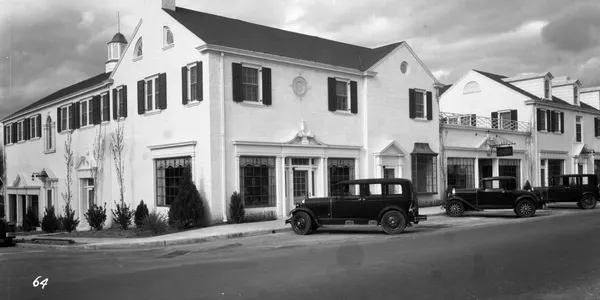

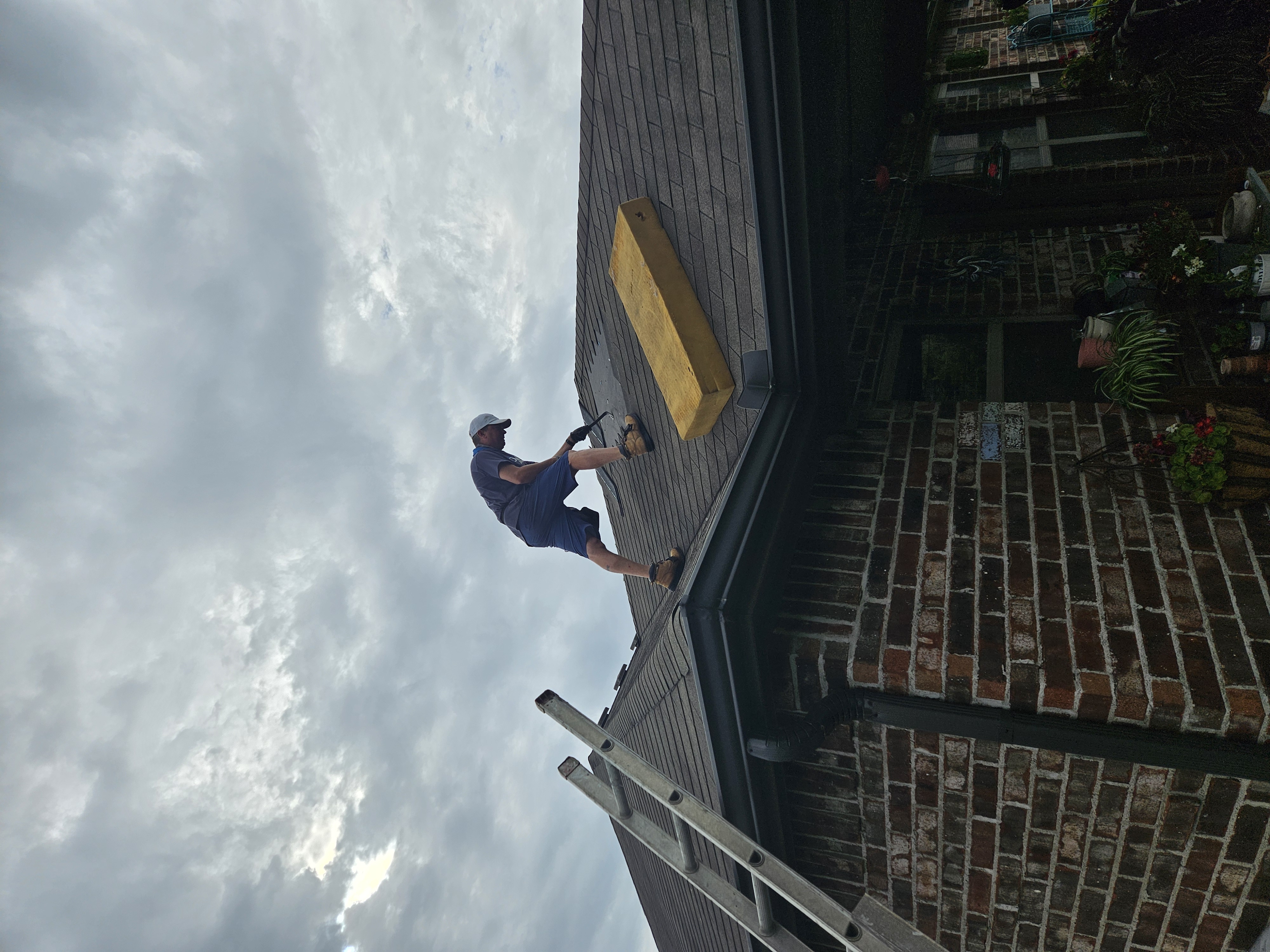
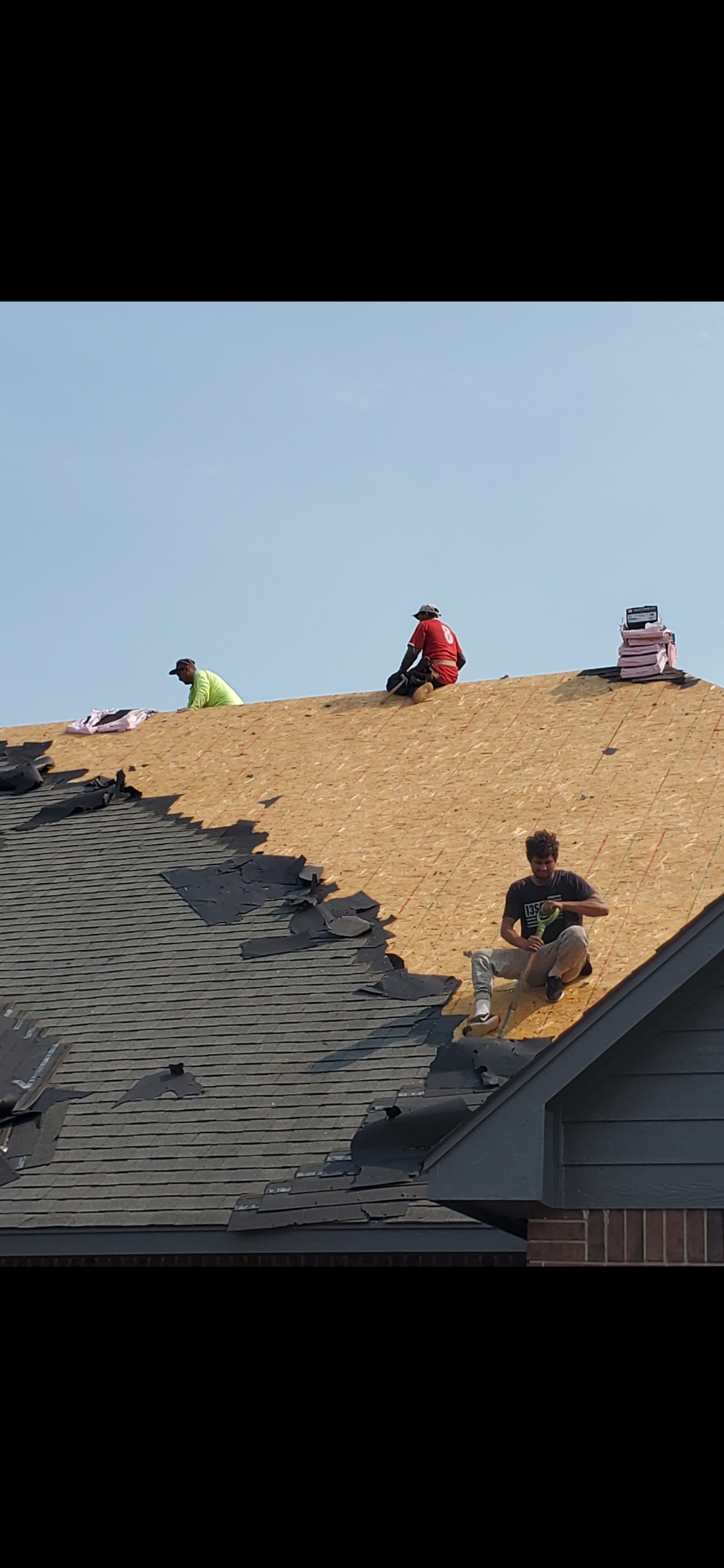
Three generations of Conners have been on Tulsa roofs. The photos above span nearly a century of work in Tulsa — from early commercial buildings on Cherry Street to modern residential projects.
Photos: Upper left — Historical Cherry Street, Tulsa, OK (c. 1930s). Upper right — Historical home built by Oliver Conner (grandfather). Lower left — Chuck Conner fixing a leak last summer (c. 2025). Lower right — The men that make the magic happen, taking a well‑deserved break.
US Payments and the Business in a Box / Bot in a Box mission computer grow directly out of that experience: a contractor who has lived the work finally getting tools that match the stakes.
Stop chasing your own paperwork.
If you’re tired of guessing who owes you what—and when they’ll pay—US Payments gives you one lane for jobs and money.
Next step: Drop your name and best contact on our interest list. We’ll reach out to talk about your trade and show you how this fits your jobs.